On this page
Registering a passkey improves one sign-in path. Removing a password changes the whole account: users need another usable credential, a workable recovery route and a support process that can handle a lost device.
ProAuth shipped UserStore passkey sign-in and passkey MFA in 3.0.0. 3.2.0 adds policy and lifecycle controls for operating passwordless accounts. It extends the released UserStore passkey sign-in and MFA capabilities with policy for the whole account lifecycle.
Keep primary authentication and MFA distinct
UserStore login passkeys are primary credentials associated with UserStore users. Passkey MFA is configured separately and can protect UserStore or federated users. Adding an MFA passkey does not remove a UserStore password.
Passkey policy belongs to each UserStore IDP instance. If that instance serves several tenants, its primary credential policy follows the IDP instance. Define that ownership before adopting different requirements for different user populations.
The UserStore passkey guide explains this boundary and the available rollout models.
Start with a recommendation, then review the options
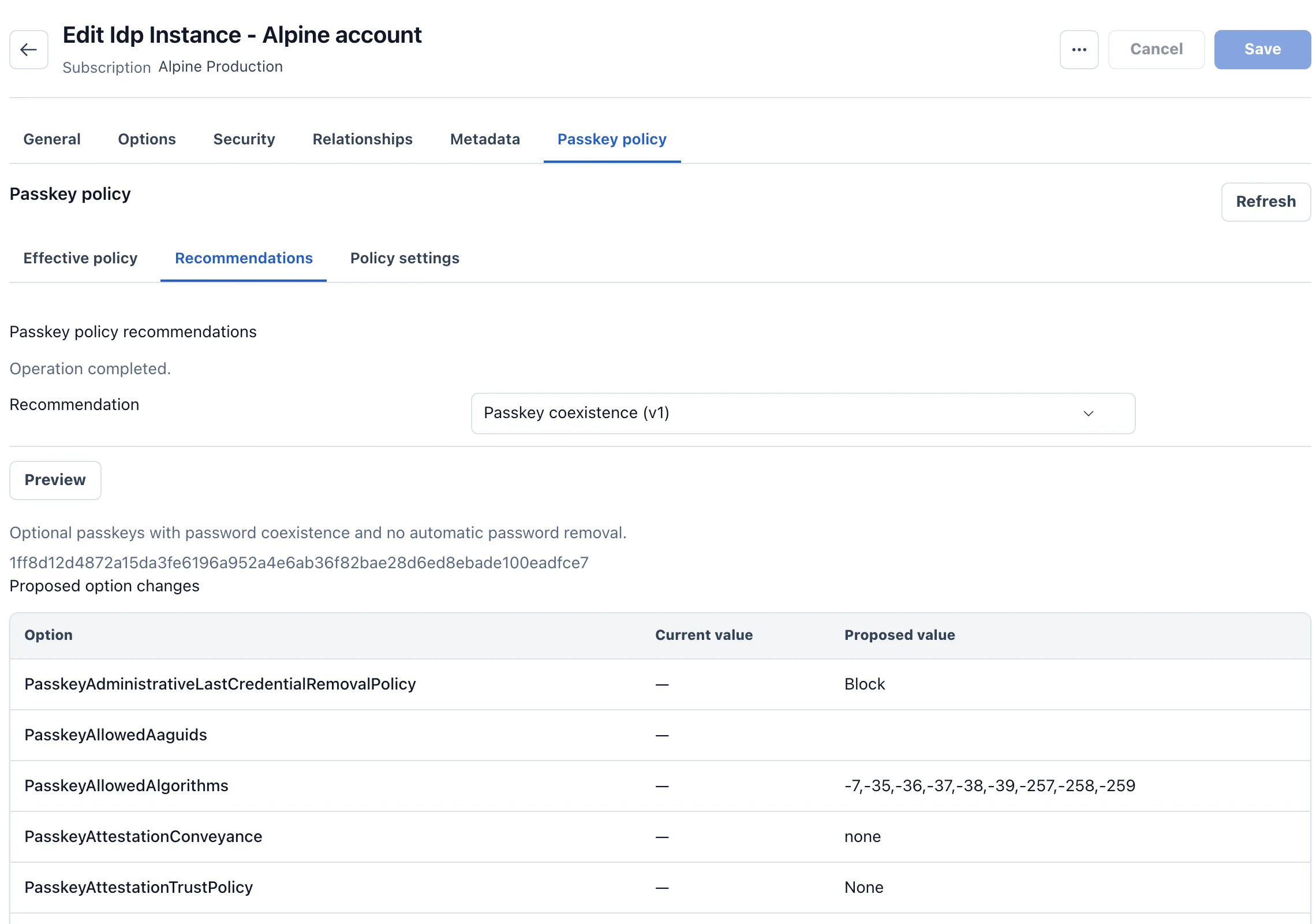
ProAuth 3.2 provides four starting recommendations:
| Recommendation | Intended operating model |
|---|---|
| Passkey coexistence | Add passkeys while keeping passwords available |
| Consumer passkey-first | Encourage passkeys and permit password removal after readiness succeeds |
| Enterprise passwordless | Govern enrollment, multiple credentials, recovery codes and temporary access passes |
| Regulated hardware-bound | Require stronger attestation, credential diversity, trust services and independent approval |
Applying a recommendation writes ordinary IDP options. It does not lock the deployment into a permanent product mode. Review the proposed settings and the dependencies they introduce; the strictest recommendation can intentionally block enrollment or recovery when required services are absent.
Readiness is more than a credential count
Before allowing password removal, ProAuth evaluates the credentials and their compliance, maturity and diversity, along with security contacts, recovery routes, authentication evidence and notification readiness. Two registered credentials are insufficient if one is revoked or cannot satisfy the policy.
flowchart TD
    Enroll[Enroll passkeys] --> Check[Evaluate credentials and recovery readiness]
    Check --> Schedule[Schedule permitted password removal]
    Schedule --> Recheck[Recheck readiness at commit]
    Recheck --> Remove[Remove password hash and reset material]
    Recheck --> Block[Block commit if requirements changed]
Removal has scheduling and commit boundaries. A successful commit clears the password hash and reset material; reverting the application version cannot restore them. Define recovery and authorized password recreation, where policy permits it, before enabling removal.
Upgrading alone does not apply a recommendation or delete passwords. Existing installations retain their behavior until administrators configure the new options. See the policy reference and security operations guide.
Check the 3.2 compatibility boundary first
ProAuth 3.2 removes EdDSA/Ed25519 passkey support. Affected credentials stop working after upgrade and must be replaced. Ensure those users have another login, recovery or administrative account-access route before deployment. Other supported algorithms, such as ES256, are unaffected by this change.
For a pilot, select a representative population and test enrollment, a second authenticator, lost-device recovery and the final password-removal check. Review the recovery workflow with the support team before widening rollout. A passwordless policy becomes useful when users can complete both the normal journey and the exceptional one.