Onboard businesses into your SaaS
Let customers combine local accounts with their own identity providers. Build tenant configuration into your onboarding tools and keep a common integration in your application.
Explore B2B customer onboardingControl of your identity infrastructure
Connect employees, partners and customers to your applications. Run OpenID Connect and OAuth on your infrastructure, with control over your identity data.
Self-hosted · OpenID Connect & OAuth · Supported by 4tecture
For internal systems, software products and digital services, keep identity aligned with the way your organisation operates.
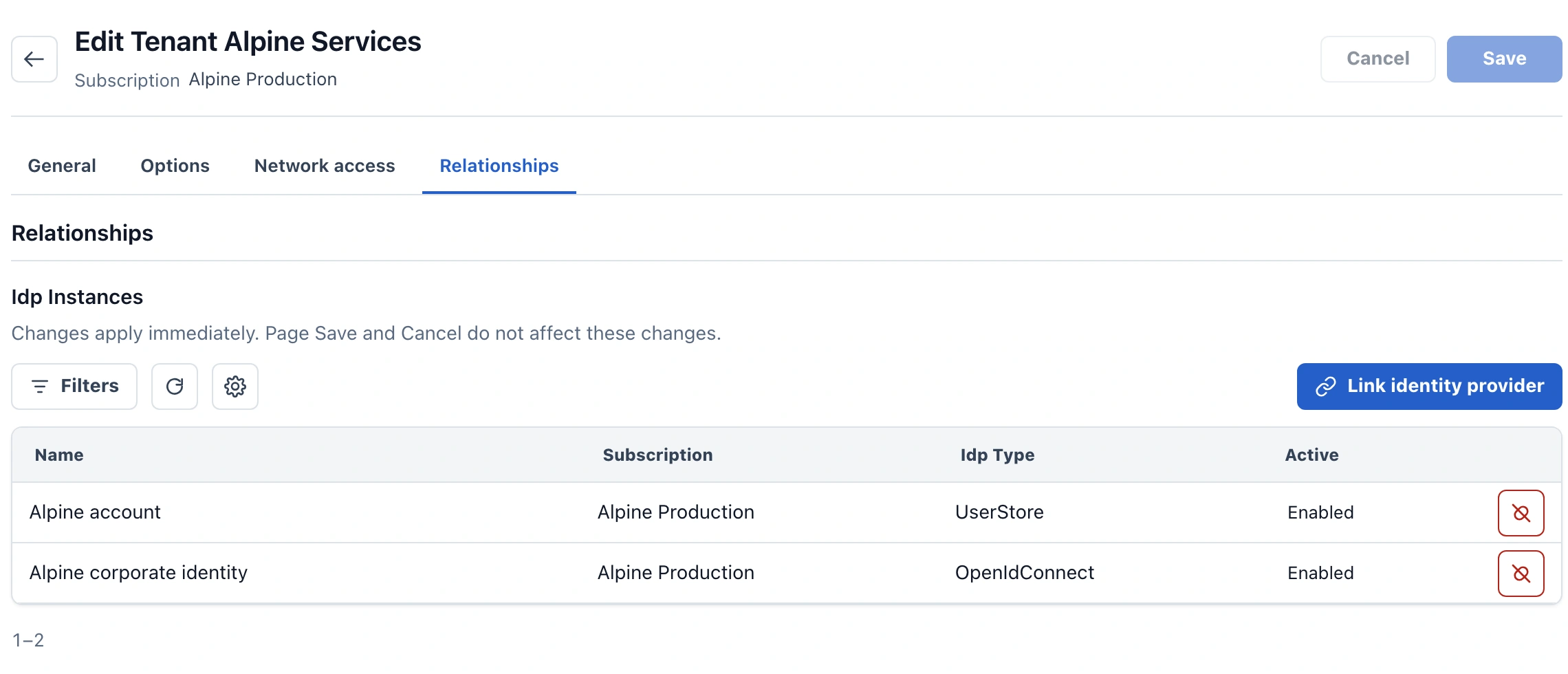
Let customers combine local accounts with their own identity providers. Build tenant configuration into your onboarding tools and keep a common integration in your application.
Explore B2B customer onboardingConnect business applications to a maintained identity platform. Combine enterprise federation and local accounts in one deployment, with control over integration and branding.
Explore business application identityDeploy on premises, in a private cloud or with your chosen public-cloud provider. Keep control of identity data and plan hosting changes on a supported Kubernetes foundation.
Explore deployment controlRun identity on site for local sign-in. Offline operation requires all services used by the configured sign-in path to remain locally available.
Explore local and offline sign-inConfiguration becomes product experience
A tenant supports multiple configured identity sources. This visual shows two examples—local accounts and corporate identity—as sign-in choices in the fictional Customer Portal application.
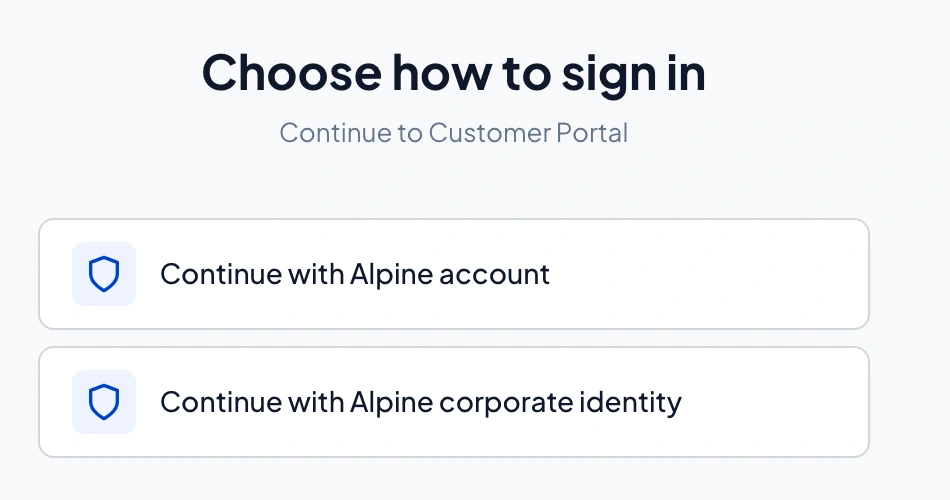
Local sign-in with ProAuth-managed identities.
Corporate sign-in with the configured upstream identity provider.
Connect internal systems, workforce applications and customer-facing services through OpenID Connect and OAuth. ProAuth can use its own user stores or federate sign-in to existing providers such as Microsoft Entra ID.
Application integration and federation
The same ProAuth platform: management and local accounts
Decide where the platform runs, retain control of its data and choose how it is operated. ProAuth gives those decisions a concrete technical foundation.
Choose where it runs
Deployment choices for the same ProAuth platform, with your choice of infrastructure provider.
Deploy ProAuth on your own infrastructure, in a private cloud or with your chosen public-cloud provider. Container delivery and Kubernetes tooling support a consistent deployment approach across those environments.
Review deployment requirementsKeep control of ProAuth configuration, user-store databases and encryption keys. When you change hosting providers, these form the basis of a planned platform move, with documented backup and recovery procedures.
See how platform data is preserved4tecture develops ProAuth and provides product support. Basic Support covers suspected product defects during an active subscription or perpetual upgrade coverage; escalation packs and Enterprise support plans add configuration and integration assistance.
See support scope and response timesFAPI 2.0 Security Profile: opt-in.
ProAuth user stores · Microsoft Entra ID · Upstream OIDC providers
Local accounts and federated sign-in behind one standards-based application integration.
Admin UI · Management API · Kubernetes
Manage supported tenant, directory, policy and client settings at runtime, without redeploying ProAuth.
FAPI 2.0 · DPoP · mTLS
For advanced API requirements, FAPI 2.0 is opt-in. DPoP and mTLS token binding require the corresponding client and API integration.
Explore security controlsCustomer-specific login views · Claims Rule Engine · Audit trails · SCIM
These capabilities require Enterprise. SCIM provisioning is separate from authentication.
Compare ProAuth editionsCheck feature entitlements and limits for applications, user stores and federated providers.
Compare Starter, Business and EnterpriseStarter and Business are annual subscriptions. Enterprise also offers perpetual licensing. Infrastructure, implementation and operation have their own costs.
See licence prices and termsProAuth customer projects inform these implementation patterns. Explore how teams make identity part of their product and operating model.
Identify representative applications, identity sources, claims and migration constraints, including existing credentials and MFA.
Configure a tenant, connect an application and verify sign-in, permissions, recovery and the edition capabilities you need.
Clarify monitoring, backups, upgrades and operating responsibilities, including endpoints, keys, dependencies and licence scope for future hosting changes.
Tell us about your applications, identity sources and infrastructure plans. We can assess deployment options, editions and a suitable evaluation with you.
Discuss your requirementsExplore the technical documentation