On this page
The hardest passwordless support case starts when the user cannot produce a working passkey. A recovery flow needs enough authority to enroll a replacement without turning proof of an email address into unrestricted application access.
ProAuth 3.2.0 adds governed recovery routes, temporary access passes and restricted enrollment sessions. Those controls make recovery a policy decision that can be tested before passwords are removed.
Give recovery only the privilege it needs
The configured route determines which proofs must succeed. Once they do, the user receives a restricted session for the bound recovery or enrollment transaction. That session cannot complete an ordinary OIDC authorization.
flowchart TD
    Start[Start a configured recovery route] --> Proof[Complete required proofs]
    Proof --> Restricted[Restricted recovery session]
    Restricted --> Enroll[Register compliant replacement credential]
    Enroll --> Complete[Complete recovery and revoke prior authentication state]
    Complete --> Login[Return to normal authentication]
This boundary matters for mailbox-based recovery. Proving access to a recovery contact can be one permitted step; it does not make the restricted session equivalent to a normal signed-in session. The security operations guide documents routes, proofs and completion behavior.
Separate a verified contact from a profile field
A profile email is not automatically a trusted recovery destination. ProAuth records verified security contacts separately, including their purpose, provenance and lifecycle. Generic profile editing cannot manufacture verification evidence.
Replacement is governed as well. The documented workflow verifies both the original and candidate contact, rather than allowing an ordinary profile update to redirect recovery. When designing support procedures, account for the case where the old contact is unavailable; that needs an approved recovery route, not an administrative shortcut around the proof boundary.
See verified security contacts for the complete configuration.
Operate temporary access passes deliberately
A temporary access pass (TAP) belongs to one user and reason, has a bounded lifetime and follows the configured approval requirement. An operator cannot issue a pass for their own UserStore identity or approve their own request. Approval does not extend expiry.
The plaintext secret appears only at issuance. Queue and history reads do not reveal it again. Define an authenticated delivery process, and keep the secret out of tickets, screenshots and routine logs. Where a mailbox compromise triggered recovery, delivering the pass to that same mailbox would undermine the procedure.
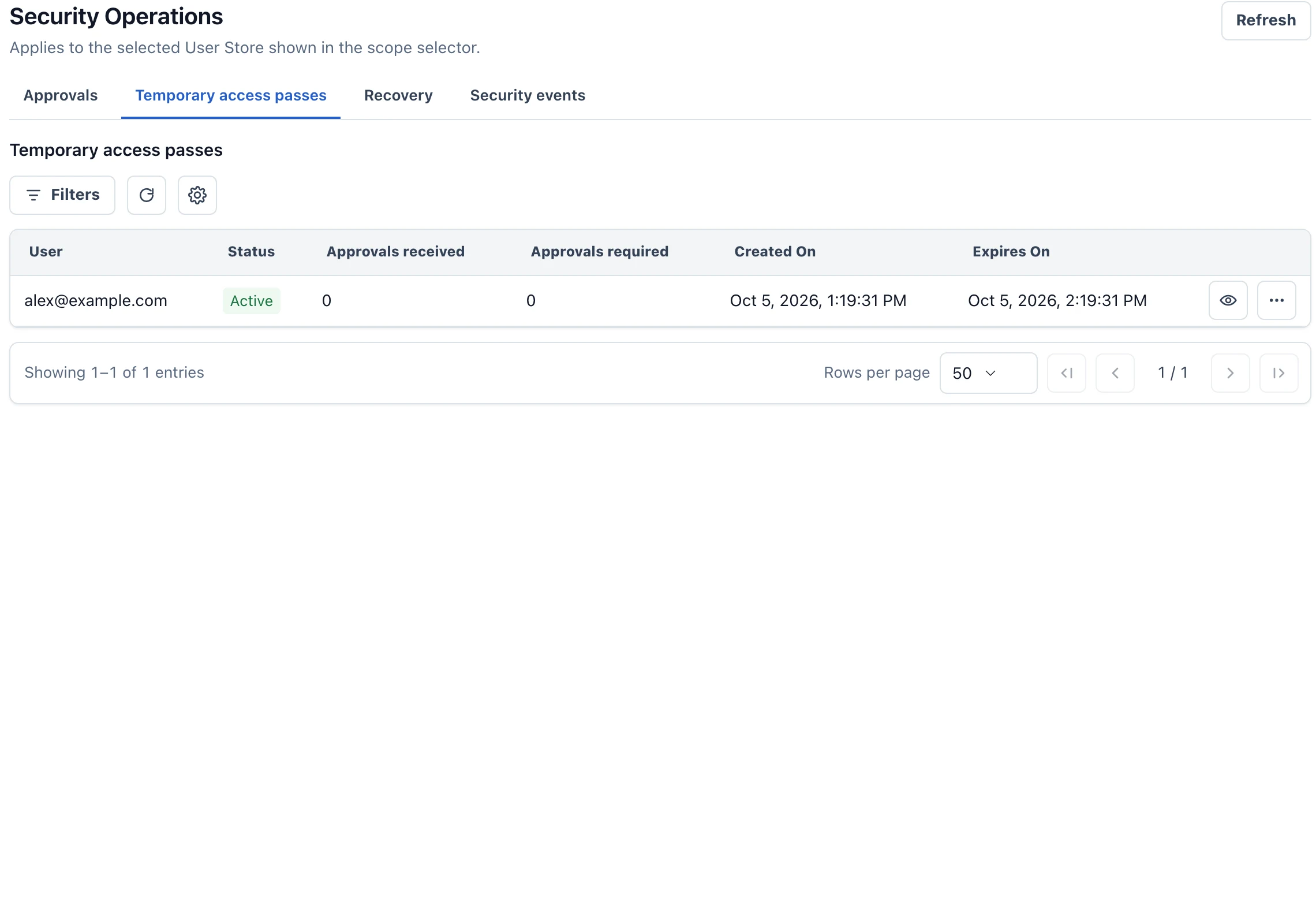
Consuming a TAP is not evidence that enrollment finished. Support should check the recovery transaction, resulting credential and account readiness before closing the case. The administration guide describes the relevant queues and user-level views.
Test the route before depending on it
Recovery codes are returned once and stored as hashes. Users need a storage location independent of the device or account holding their only passkey. Routes that require an external identity-proofing capability need an operational provider; an unimplemented integration cannot satisfy readiness.
Rehearse lost-device recovery, expired passes, missing approvals and failed delivery. Confirm that restricted recovery cannot issue ordinary application tokens. Then test the user’s next normal login and the revocation of pre-recovery state.
For an existing deployment, follow the 3.2 migration requirements before enabling destructive password policies. The passkey policy article explains why successful recovery is a prerequisite for password removal.