Skip to content
← All scenarios

B2B SaaS / Customer onboarding

Make customer identity part of your SaaS onboarding.

Own the identity platform behind your SaaS. Let each business use local accounts or its existing enterprise identity, with tenant configuration that fits your onboarding.

Plan your onboarding
Your SaaS productOne common integration.OpenID Connect / OAuth 2.0
ProAuthThe common identity platform
Customer A / TenantLocal accounts

ProAuth user store

Customer B / TenantCorporate identity

Upstream OpenID Provider

Customer C / TenantBoth choices

Local accounts + federation

Illustrative tenant configurations within one ProAuth platform.

The business situation

Customer requirements change. Your integration stays familiar.

A B2B application serves smaller businesses with local accounts and enterprises with their own identity providers. A new customer wants its directory connected during onboarding.

An illustrative business situation, not a customer case study.

Turn customer choices into tenant configuration

Management API / Runtime configuration

  1. 01

    Collect requirements. Apply configuration.

    Your onboarding portal can collect the customer's requirements and use the Management API to configure a tenant, its identity sources and supported settings at runtime. Adding that configuration does not require redeploying ProAuth.

  2. 02

    Set up identity sources with the customer.

    For local accounts, configure a ProAuth user store. For enterprise sign-in, the customer's administrator registers the OIDC integration in each selected identity provider and supplies the required configuration. If directory provisioning is needed, configure the separate SCIM connection as well.

  3. 03

    Build the workflow in your own tools.

    This pattern is used in customer-built onboarding tools: the wizard collects settings, applies configuration and checks the integration, with exceptions escalated to support. ProAuth provides the APIs; your team builds the workflow and decides how to validate completion.

Configuration becomes product experience

One tenant. Multiple identity sources.

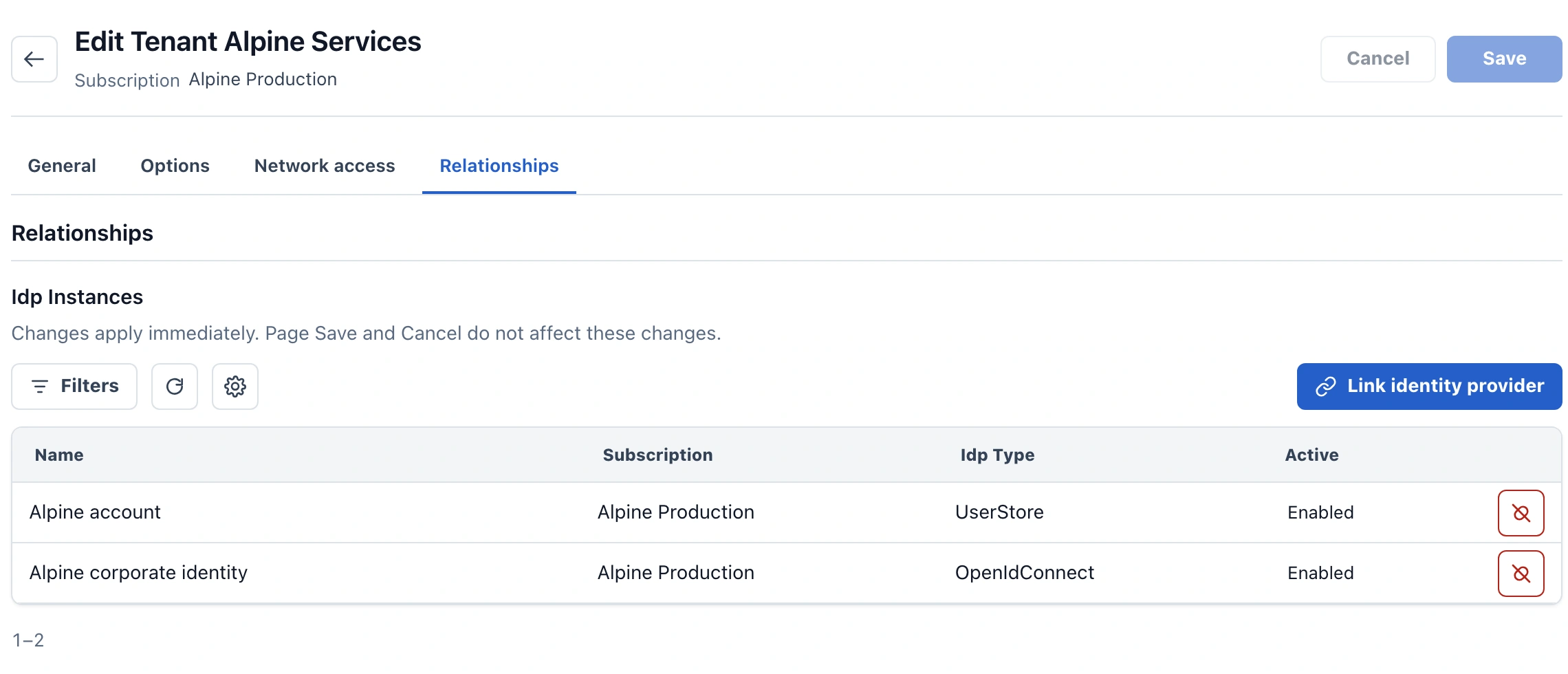
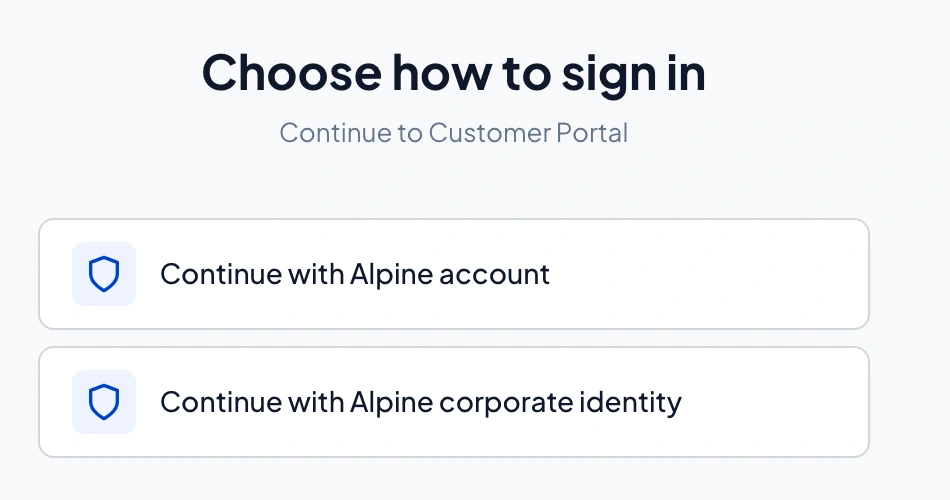
A tenant supports multiple configured identity sources. This visual shows two examples—local accounts and corporate identity—as sign-in choices in the fictional Customer Portal application.

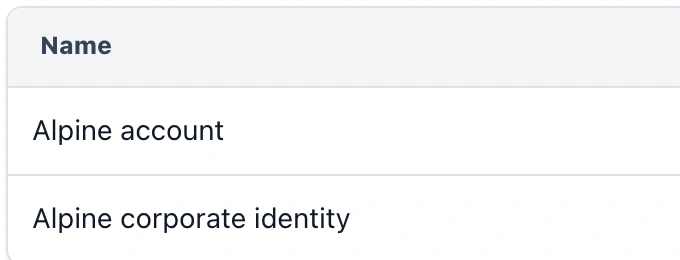
One tenant. Multiple identity sources.A: Alpine account in Admin matches Continue with Alpine account. B: Alpine corporate identity matches Continue with Alpine corporate identity. The enlarged Name column comes from the configuration shown above.Configuration / Tenant relationshipsDetail: Name column from the same captureSample app / Customer PortalAABB
Configuration / Tenant relationships
Tenant relationships in ProAuth Admin, open large view
Detail: Name column from the same capture
Alpine account · Alpine corporate identity
Sample app / Customer Portal
Continue with Alpine account · Continue with Alpine corporate identity

A Alpine account

Local sign-in with ProAuth-managed identities.

B Alpine corporate identity

Corporate sign-in with the configured upstream identity provider.

Real ProAuth interfaces · Product preview · Fictional example data. A/B matches the displayed entries; these lines do not represent network traffic.

The identity model

One integration. Tenant-specific relationships.

Your SaaS application is a client of ProAuth. ProAuth connects the customer tenant to its configured identity sources.

Identity relationships for one SaaS customer tenantThe SaaS application is ProAuth’s client. Within the customer tenant, ProAuth connects local accounts and an upstream OpenID Provider; ProAuth is itself the client of that provider. Management API and optional SCIM provisioning are separate relationships, not authentication traffic.SaaS applicationOne integrationProAuthCustomer tenant AOpenID Provider /Authorization ServerUpstream: RP / clientCustomer IdPUpstream OIDC providerLocal identitiesTenant’s ProAuth user storeOIDC / OAuth 2.0OIDC federationLocal accounts

Admin UI / Management APIConfigure tenants and their identity relationships.

SCIM 2.0 optionalSeparate provisioning from customer-side systems.

Identity relationships for one SaaS customer tenantThe SaaS application is ProAuth’s client. Within the customer tenant, ProAuth connects local accounts and an upstream OpenID Provider; ProAuth is itself the client of that provider. Management API and optional SCIM provisioning are separate relationships, not authentication traffic.SaaS applicationOIDC / OAuth clientProAuthOpenID Provider /Authorization ServerUpstream: RP / clientCustomer tenant AProAuthManaged user storeLocal identitiesCustomer IdPUpstream OIDCExternal providerOIDC / OAuth 2.0Local accountsOIDC federation

Admin UI / Management APIConfigure tenants and their identity relationships.

SCIM 2.0 optionalSeparate provisioning from customer-side systems.

One customer tenant shown. Runtime authentication, management and optional provisioning are separate relationships. SCIM attribute mappings are configured at the upstream provisioning provider.

What your team gains

Accommodate different customers
Configure multiple tenants and identity sources within one ProAuth deployment.
Make onboarding repeatable
Your onboarding tools apply supported configuration at runtime through the Management API.
Own the foundation as you grow
Choose hosting and integrate branding while planning a user-independent licence budget.

Keep responsibilities visible

Meet enterprise requirements without rebuilding the identity stack

Sign-in requirements and edition

Tenant-specific authentication settings and login views let you accommodate different sign-in requirements and branding. SCIM can provision directory information before a user's first federated sign-in. SCIM and tenant-specific login views are Enterprise features.

Application permissions

Your application still owns tenant membership, business permissions and access to its data. Introducing federation does not automatically define those rules.

Databases and recovery

A configured user-store instance has its own database. With the optional database deployment worker enabled and appropriately authorised, infrastructure tooling can provision that database. Its backup can be managed separately; restoring a complete SaaS tenant also requires the relevant application and configuration data.

Plan for growth and changing requirements

Licensing and operations

Enterprise licensing provides user-independent licence pricing, subject to the agreed deployment scope. Infrastructure and operating costs remain separate. You also choose where ProAuth runs as your hosting requirements evolve. Each licence covers one installed production system with unlimited runtime replicas and associated dev/test environments, including QA, staging and CI/CD. Purchased features and configuration limits apply independently in each environment; separate production installations need separate licences.

Changing identity sources

An established tenant's move between identity sources needs account mapping and application-access validation. ProAuth's logical user model and APIs provide integration mechanisms for that work; it is a planned change, rather than an automatic consequence of adding a new provider.

Go deeper into the integration.

Adoption guideStrengthen browser and API security

Plan for your next customer.

Walk through one local-account customer and one enterprise-federated customer. Identify which steps belong to the user, their IT administrator, your onboarding tools and your support team.

Discuss your customer onboarding flowExplore tenant configuration

Image detail